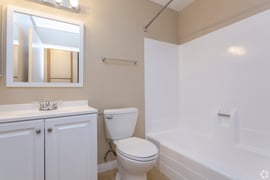
An apartment tour needs an accurate listing, a time the host can honor and a clear confirmation. For California rental owners, an online booking link can reduce the messages needed to find a time. It still needs someone responsible for access, questions, cancellations and follow-up.
This guide is for owners organizing residential apartment showings. It covers the booking process, including occupied-unit access, rather than recommending a screening decision or promising a lease-up date. Scheduling-tool information was checked October 3, 2026.
Start with the apartment and the person who will show it
Before offering tour times, confirm which apartment is available and what the prospect will see. Is the tour of the advertised unit, a model or a comparable occupied apartment? Say so in the listing and confirmation. Keep the rent, availability date, photos and contact instructions current wherever the listing appears.
Name the person responsible for showings and identify backup coverage. A prospect should know where to meet and whom to contact if a gate is locked or the host is late. The owner should know who checks new requests and who resolves a booking that cannot be honored.
Choose a realistic tour length and explain it in the booking page. Allow time for questions, access, travel between properties and resetting the apartment. There is no single tour duration that fits every property. An unattended showing also needs an appropriate access and safety process; sending a calendar invitation does not establish one.
Check occupied-unit access before offering a slot
A vacant apartment and an apartment someone still lives in require different preparation. For an occupied California dwelling, Civil Code section 1954 governs permitted entry, notice, timing and exceptions. Showing a dwelling to prospective residents is a permitted purpose, but the statute generally requires reasonable written notice and entry during normal business hours, subject to its provisions and exceptions. It also prohibits abusing access or using it to harass the resident.
A prospect’s booking is not the current resident’s consent or a notice of entry. Confirm that the proposed showing can be conducted under the applicable access requirements before making it bookable. Do not assume that a scheduling app’s minimum lead time supplies the required notice. Coordinate changes with the host and the occupied household rather than allowing an automated reschedule to create an unreviewed entry.
Configure the booking tool around the host’s actual calendar
The original options for a booking link remain useful to evaluate: Calendly, TidyCal and Google Calendar appointment schedules. Check the account and plan you would use, including connected calendars, confirmation messages, reminders, cancellation links and team coverage. Features and limits differ; a product name does not establish that the required setting is enabled.
Calendly’s scheduling overview describes connected calendars, availability schedules, buffers and daily limits. Configure those settings for the person actually conducting the tour. Test the booking page after adding an existing commitment and after changing the host’s availability. A connection that omits a relevant calendar can still leave a conflict.
TidyCal’s current FAQ explains that calendars with Reading enabled are checked for busy time. Its primary calendar receives bookings, and confirmation emails include cancellation and rescheduling links. Confirm the reading and writing settings rather than assuming that every connected calendar serves both functions.
Google Calendar’s appointment-schedule guidance covers duration, availability, buffers, booking limits and calendar checks. Co-host availability is not checked by default, so review that setting if more than one person must attend. Some options depend on the subscription. Set the location and description for the actual showing and verify the displayed time zone.
For an illustrative vacant-unit schedule, an owner might allow 30 minutes per tour and a 15-minute buffer, with appointments at 5:00 p.m. and 5:45 p.m. That assumes the same property and an available host. Add travel or preparation time where needed, and do not use this example to determine occupied-unit entry timing.
Automated confirmations and reminders can support the process, but they cannot guarantee attendance, eliminate every calendar conflict or replace a person when access fails. Review a cancellation or missed tour and record the next action instead of treating it as a completed showing.
Keep a working contact path alongside online booking
Put a direct contact method in the listing and the confirmation. If you use phone, voicemail, text or email, state the monitored hours and when someone should expect a response. Give the person checking requests a backup for absences. Review the inbox and booking activity at an established daily interval, with additional coverage for the tour times you offer.
Test the listing’s contact button from a phone. Does it reach the intended person or send the prospect into another unmonitored inbox? Test the booking link as well: an empty calendar needs an explanation and another way to request a showing, rather than leaving someone to guess whether the apartment is still available.
Keep an accessible alternative for someone who cannot use the online flow or requests an accommodation. California’s Civil Rights Department housing guidance addresses disability accommodations and discriminatory housing practices. Use the same lawful showing process with required accommodations; do not let an automated form impose a blanket exclusion or make a screening decision.
Send the details a prospect needs to arrive
A calendar entry labeled “Apartment tour” leaves too much unanswered. Make the confirmation useful:
- Property address, apartment identifier and whether the visit shows the advertised apartment or a model.
- Appointment date, start time, time zone and planned duration.
- Meeting point, parking instructions and any agreed access arrangement.
- Host’s name and a monitored contact method for arrival problems.
- How to cancel or request another time, including whom to contact if the online option fails.
- What happens after the visit and where to ask about the application process.
Keep access codes and personal information out of public listing text. Collect the contact details needed to arrange the showing through an appropriate channel. A tour-booking form should not become an unprotected place to upload identity documents or consumer reports. Keep the application and screening process separately documented.
When a time changes, update the actual appointment and tell the affected people. Confirm who will attend, whether access remains available and whether any occupied-unit arrangements need attention. A prospect should not have to choose between conflicting messages from the host and the scheduling tool.
Test the full route from inquiry to follow-up
Before adding the link to every listing, make a test booking from a phone. Read the confirmation, check that it appears on the host’s calendar, try cancellation and rescheduling, and confirm where an exception reaches a person. Remove the test appointment when finished so it does not consume a real showing slot.
Review requested, confirmed and completed tours separately. Record cancellations, missed visits and the next follow-up, using actual activity rather than an assumed conversion rate. If requests arrive but appointments remain unconfirmed, examine response coverage and available times. If confirmed tours fail, check access, instructions and the stated reason before drawing a conclusion about demand.
Owners managing a broader leasing effort can use the lease-up service guide to connect tour activity with readiness, applications and move-in. Owners renting a single home directly can use the seven-step DIY rental guide for the work before and after showings. This article focuses on the appointment itself; easier booking does not establish applicant suitability or guarantee that a home will lease faster.
Make the next offered appointment one you can honor
Open the live listing and follow its contact and booking instructions. Confirm the apartment, host, access, available time and message the prospect receives. Resolve any gap before promoting additional slots. Keep responsibility clear for questions and changes after the booking.
For further reading on management principles and operating responsibility, visit the official site for Property Management Excellence by Anthony A. Luna. The book is available now; the site provides current ordering information. It is a broader management resource, not a substitute for verifying a particular showing or access arrangement.





.webp?width=300&height=200&name=charles-forerunner-3fPXt37X6UQ-unsplash-1920w%20(1).webp)